
MMI and CarPlay
Audi MMI and infotainment repair in Dubai, from frozen screens to CarPlay.
Audi MMI and infotainment repair in Dubai covers a screen that freezes on the logo, a map that will not load, a phone that pairs then drops, and CarPlay that worked yesterday. We work out whether it is software, a setting, a cable or a failed unit before anything is replaced.

- On this pageAudi MMI and Infotainment Repair
- Symptoms01
- Prices02
- What we fix03
- Questions04
- Every job is tested first and quoted in writing.
Symptoms
Audi MMI screen not working? Sort the urgent from the annoying.
Most MMI faults are a nuisance rather than a danger. A few, though, affect cameras, warnings or the battery, and those should not wait.
- Level 1Have it looked at nowA black screen with no reversing camera, an MMI that stays lit after the car is locked, or a battery that goes flat since the screen started acting up.
- Level 2Book in this weekThe system reboots on its own while driving, navigation has no map or no GPS position, or sound from the speakers drops out completely.
- Level 3Book when it suits youBluetooth that needs re-pairing every few days, CarPlay that disconnects now and then, a sticky MMI knob, or a slow screen on start-up.
Prices
MMI, navigation and connectivity prices.
Infotainment faults vary a lot between MMI generations, so the first step is a check of your system. Treat the figures below as a guide for the usual setups, from the A3 through to the Q7.
Screens, control panels and main units are priced by part number from your chassis number.
| Job | What's included | From |
|---|---|---|
| MMI system check | Fault scan of infotainment units, version check, phone and USB test | AED 135 |
| Software update or reset | Available update installed, settings restored, functions retested | On quote |
| Phone connectivity fix | Bluetooth and CarPlay or Android Auto set-up, USB port and cable tested | On quote |
| USB or media port replacement | Port or hub replaced, connection tested with your phone | On quote |
| MMI control panel repair | Knob, buttons or touchpad unit replaced and coded | On quote |
| GPS or phone antenna fault | Antenna and cable traced, repaired or replaced | On quote |
| MMI screen replacement | Screen or retracting screen mechanism, fitting and coding | On quote |
Message us the model and year, plus a picture of the screen when the fault appears. VAT is extra. The final price follows once we know which MMI version is fitted. If a part needs coding to the car, that is included in the quote.
What we fix
Audi MMI repair, navigation and Apple CarPlay.
Audi has used several MMI generations, each with its own weak points. Knowing which one your car has is half the diagnosis.
- 01MMI screen freezing or blackA screen stuck on the start-up logo, a reboot loop, or a display that stays dark. Causes range from software and low battery voltage to a failed main unit, and on cars with a pop-up screen, the motor that raises it.
- 02Infotainment reboot issuesRandom restarts while driving are often linked to a weak battery, a corrupted update or an overheating unit in a car parked in the sun. We check voltage and logs before touching the hardware.
- 03Navigation system faultsNo map, a missing SD card, a wrong position or a frozen arrow. A failed GPS antenna or its cable is a common cause of the car not knowing where it is.
- 04MMI control faultsA rotary knob that skips or sticks, buttons that stop responding, or a touchpad that ignores input. The control panel can usually be replaced on its own.
- 05Bluetooth problemsPhones that will not pair, calls with no sound, or a phonebook that never downloads. Clearing old pairings and checking the phone settings fix many cases; others need the unit software updated.
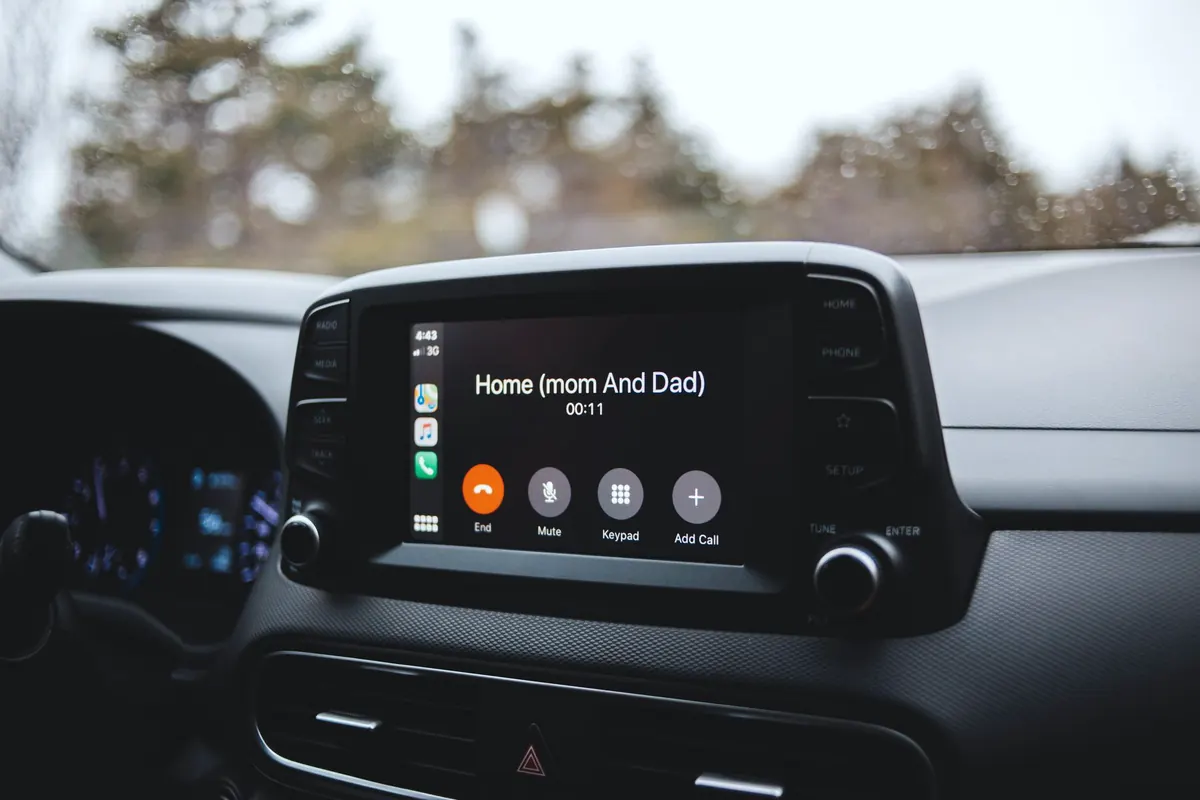
- 06Apple CarPlay and Android AutoDisconnections are often down to the cable, a worn USB port or the phone's settings. We test with a known-good cable before suspecting the car.
- 07MMI compatibility checkNot every Audi can run CarPlay. It depends on the MMI generation and the options fitted at the factory. We check your car first and tell you plainly what it can and cannot do.
- 08Sound faultsNo audio at all, one speaker silent, or a crackle at volume. On older systems, one failed unit on the fibre-optic ring can silence everything.
Repair, update or retrofit
Honest answers about CarPlay on older Audis.
Customers often ask us to add CarPlay to a car that never had it. On some models it is possible; on many older MMI systems it means aftermarket hardware that can bring its own problems. Before any money is spent, we tell you which case fits your car.
For faults, a software update or a reset is the cheapest fix and we try that first. A used main unit or screen can be an option too, if it can be coded to your car. We explain the choices in writing.
We will not sell you a retrofit unless we are confident it will work properly in your car.
How an MMI job runs
From the first glitch to a screen that behaves.
- Tell us what the screen does and when. A short video of the fault is the most useful thing you can send.
- We note the MMI generation and software version, and read the faults stored in each infotainment unit.
- We test the battery voltage, cables, ports and your phone, to rule out simple causes first.
- You get a written quote: update, setting change, part or unit, with any coding included.
- After the work, we test navigation, Bluetooth, CarPlay or Android Auto and the cameras with you in the car.
Related work
Screen faults sometimes start elsewhere.
A weak battery is the most common hidden cause of MMI reboots and dark screens. Wiring and earth faults can also affect the infotainment units. Where the clues point that way, we check the battery and electrics in the same visit.
Battery and battery drainElectrical, lights and keysDiagnostics and ECUPre-purchase inspection
Book an MMI check
Show us what the screen is doing.
Model, year and a video of the fault help us tell you the likely cause. We reply with the next step and, if we can, an estimate.
Before you send
Five things that speed up a reply
- Model and year
- Mileage
- Warning light or message
- What it does and when
- Recent work on the car
Al Quoz Ind. Third, Dubai, UAE
Monday to Saturday, 9:00 am to 8:00 pm
Questions
Audi MMI and CarPlay questions.
My Audi MMI screen is not working. Can I reset it myself?
Usually, yes. Most Audi MMI units restart if you hold the power or volume button for several seconds; the exact method depends on the generation. If the fault keeps returning, book a check, as it can point to software or battery voltage.
Why is my Audi CarPlay not connecting?
Most often a faulty cable, a worn USB port, CarPlay restricted in the phone settings, or an old pairing confusing the system. We test with a known-good cable and phone, then check the car's software.
Can CarPlay be added to my Audi?
It depends on the MMI generation and the options fitted. Some cars can have it enabled; older systems would need aftermarket hardware. We run a compatibility check and give you a straight answer.
Why does my Audi navigation show the wrong position?
A failed GPS antenna or a damaged cable is the usual reason, especially after a windscreen or roof repair. Map data that is missing or out of date causes different symptoms, and we check both.
My MMI keeps rebooting while I drive. What causes it?
Low battery voltage, corrupted software or an overheating main unit are the common causes. We check voltage and the fault memory first, because replacing the unit will not help if the battery is the problem.
Can you update my Audi MMI software?
Where an update is available for your system, we can install it and restore your settings. We check what version you have first and explain what the update will and will not change.